
DeepSeek
Reasoning and coding models available through OpenRouter.
Read guidePaste a supported payment link. Pay with UPI via MuggleLink and Razorpay.
e.g. https://payments.coinbase.com/payment-sessions/paymentSession_xxxx
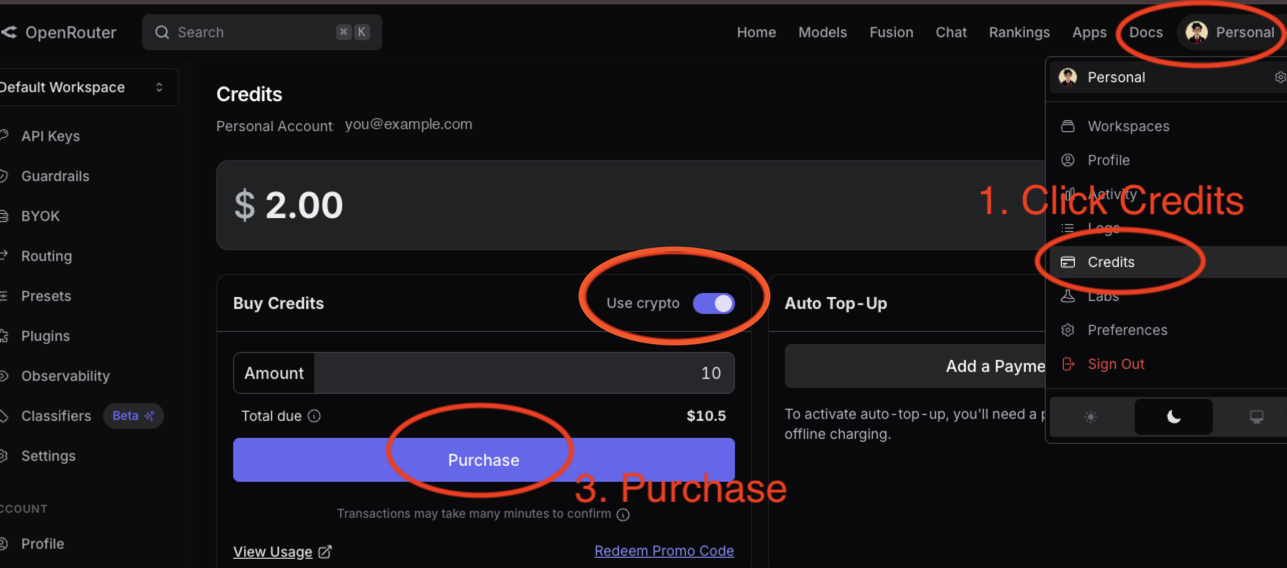
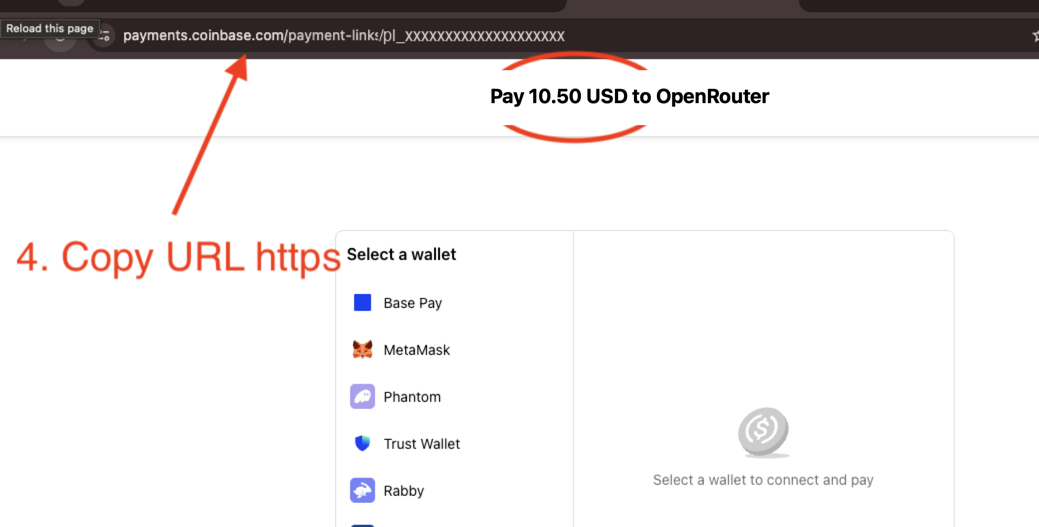
Your payment adds credits to your own OpenRouter account. Use that balance with models available there.
Reasoning and coding models available through OpenRouter.
Read guideModels for roleplay, conversation and coding available through OpenRouter.
Read guideGoogle models for fast, multimodal and general AI tasks available through OpenRouter.
Read guideAnthropic models for writing, reasoning and coding available through OpenRouter.
OpenAI models available through OpenRouter's unified API.
Model availability and pricing are set by OpenRouter and may change. ROZO only helps you pay the OpenRouter payment link with UPI.